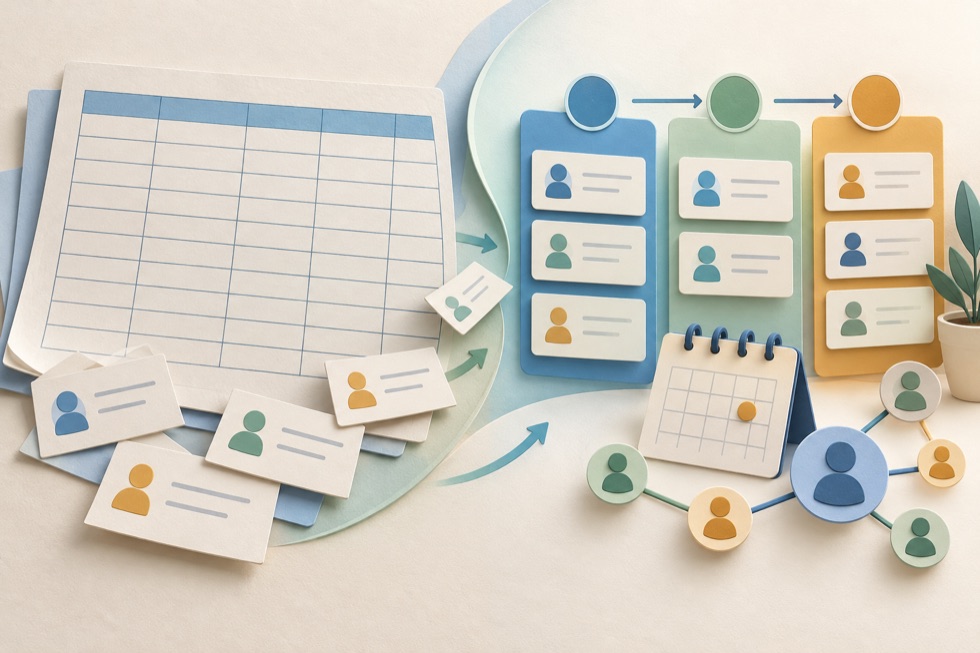
So why do businesses eventually switch to CRM systems?
Usually, it's not because Excel suddenly stops working. It's because managing relationships becomes more complicated than maintaining a spreadsheet.
You might forget to follow up with a prospect. Two employees might update different versions of the same file. A sales opportunity might sit untouched for weeks because nobody knows who should handle it.
These problems aren't necessarily caused by spreadsheets. But dedicated CRM software is designed to make them easier to manage.
In this guide, we'll compare Excel and CRM software, explore the situations where spreadsheets still work well, and explain how to recognize when switching makes business sense.
CRM vs Excel: What's the Difference?
The main difference between Excel and CRM software is their purpose.
Excel gives you a flexible grid of rows, columns, formulas, and calculations. You decide how to organize your data and what processes to build around it.
A CRM provides a more structured environment for managing contacts, companies, deals, conversations, tasks, and follow-ups.
For example, a spreadsheet might contain:
| Name | Company | Deal Value | Status | |
|---|---|---|---|---|
| Sarah Mitchell | Northstar Studio | [email protected] | $4,500 | Proposal Sent |
| Daniel Brooks | Brightside Co. | [email protected] | $2,800 | Negotiation |
| Emma Wilson | Willow Media | [email protected] | $1,200 | New Lead |
This is useful information.
But what happens when you need to answer more complicated questions?
- When did we last contact Sarah?
- Who is responsible for following up with Daniel?
- Which prospects have been waiting more than seven days?
- How many proposals are likely to close this month?
- What happened during our last conversation with Emma?
You can build spreadsheet solutions for these questions. You can add columns, formulas, conditional formatting, separate sheets, and automation.
However, a CRM typically provides many of these workflows as built-in features.
CRM vs Excel: Feature Comparison
Here's how spreadsheets and dedicated CRM systems generally compare.
| Feature | Excel / Google Sheets | CRM Software |
|---|---|---|
| Contact database | Yes | Yes |
| Custom fields | Yes | Usually |
| Contact notes | Manual organization | Usually built in |
| Sales pipeline | Requires setup | Common feature |
| Follow-up reminders | Requires setup or integrations | Common feature |
| Activity history | Mostly manual | Often built in |
| Email integration | Requires additional tools | Available in many CRMs |
| Workflow automation | Scripts or integrations | Depends on product and plan |
| Sales reporting | Formulas, charts, PivotTables | Often built in |
| Team collaboration | Depends on platform and configuration | Usually supported |
| User permissions | File or platform-level controls | Often more granular |
| Mobile access | Available | Usually available |
| Data export | Strong | Varies by provider |
| Initial cost | Often low | Free or paid |
| Setup flexibility | Very high | Depends on platform |
Neither approach wins every category.
Excel offers tremendous flexibility. A CRM offers more ready-made structure.
The right choice depends on what you actually need.
Why Many Businesses Start With Excel
Spreadsheets remain popular for good reasons.
1. You Already Know How to Use Them
Most business owners have at least some experience with Excel or Google Sheets.
You don't need to learn a completely new application just to record names, email addresses, and sales opportunities.
2. You Can Start Immediately
A basic customer spreadsheet can be created in minutes.
You might only need columns for:
- Contact name
- Company
- Phone
- Lead source
- Current status
- Last contact date
- Next follow-up date
- Notes
That's enough to support a simple relationship management process.
3. They're Flexible
You can customize almost everything.
Want a column for estimated project value? Add it.
Need a separate sheet for completed deals? Create one.
Want to calculate monthly revenue? Use a formula.
A dedicated CRM may offer similar flexibility, but some customization options require paid plans.
4. They're Inexpensive
If your business already uses spreadsheet software, maintaining a customer list may involve little or no additional software expense.
Google Sheets is also available for personal use without a separate paid subscription.
5. You Control the Structure
You aren't forced into someone else's sales process.
This can be particularly useful for freelancers, consultants, and businesses with unusual workflows.
The Problems That Appear as Your Business Grows
Spreadsheets rarely fail all at once.
Instead, small inefficiencies begin to accumulate.
Problem 1: Important Follow-Ups Get Missed
Imagine you send proposals to eight potential customers.
You enter their information into Excel and add a column called "Next Follow-Up."
Everything looks organized.
But the spreadsheet doesn't necessarily remind you when the follow-up date arrives.
You must remember to open the file, filter the relevant records, and check which contacts need attention.
You can build reminders using additional tools, scripts, or integrations.
But that introduces more moving parts.
In a CRM, tasks and follow-up reminders are typically part of the normal workflow.
Problem 2: Customer History Becomes Difficult to Follow
A contact might have multiple conversations, meetings, proposals, and projects over several years.
You could record everything in one large notes cell.
But eventually, it becomes difficult to understand the history.
A CRM can organize these interactions as related activities attached to a contact or company.
For example:
Sarah Mitchell — Northstar Studio
- October 3: Initial inquiry received
- October 5: Discovery call completed
- October 7: Proposal sent
- October 12: Follow-up scheduled
- October 15: Proposal revised
This timeline provides context that a simple spreadsheet row doesn't naturally offer.
Problem 3: Multiple People Need to Work With the Same Records
When one person manages customer relationships, a spreadsheet can work extremely well.
But when several people need to access and update the same information, coordination becomes more important.
Questions start appearing:
- Who owns this lead?
- Has someone already contacted this prospect?
- Who changed the deal status?
- Which information is current?
- Can everyone access the same records?
Modern cloud spreadsheets support real-time collaboration, comments, version history, and sharing controls.
So collaboration alone isn't a reason to abandon spreadsheets.
However, a CRM may provide more structured record ownership, activity tracking, and role-based permissions.
Problem 4: Your Sales Pipeline Becomes Hard to Understand
A spreadsheet can show the current status of every opportunity.
But you may want to see more than a list.
For example:
- How many deals are in each stage?
- What's the total value of proposals awaiting approval?
- Which opportunities haven't moved recently?
- Which deals are expected to close this month?
You can build charts and dashboards in Excel.
The challenge is maintaining them as your process changes.
CRM software commonly includes pipeline views and reports designed for these questions.
Problem 5: Data Quality Starts to Decline
As your contact database grows, you may encounter:
- Duplicate contacts
- Inconsistent company names
- Missing email addresses
- Outdated phone numbers
- Different ways of writing the same sales stage
- Records that nobody updates
Spreadsheets provide validation rules, filters, and duplicate detection features.
But dedicated CRM systems may offer more structured data entry, duplicate management, and required fields.
These features can improve consistency, although they don't eliminate the need for good data practices.
Problem 6: You Spend More Time Managing the Spreadsheet Than Managing Customers
This is one of the clearest warning signs.
If you're constantly adding formulas, fixing filters, copying information between sheets, and checking whether records are up to date, your spreadsheet may have become a system that requires too much maintenance.
At that point, switching to CRM software may save time.
But don't assume that every CRM will.
A complicated CRM can create just as much administrative work as an overengineered spreadsheet.
Seven Signs It's Time to Switch From Excel to CRM
You don't need to wait until your spreadsheet becomes unmanageable.
Look for these practical signals.
1. You're Missing Follow-Ups
Potential customers are slipping through the cracks because you forget to contact them.
2. You Can't Quickly Find Customer Information
You regularly search through emails, spreadsheets, notes, and messages to reconstruct previous conversations.
3. You Have Too Many Active Opportunities to Track Comfortably
You struggle to remember which deals need attention or what stage they're in.
4. Multiple People Are Responsible for Customer Relationships
Your team needs clear ownership, shared context, and a consistent way to track activities.
5. You're Repeatedly Entering the Same Information
Customer details must be copied between spreadsheets, calendars, emails, and other applications.
6. Reporting Requires Too Much Manual Work
You spend significant time preparing sales reports that could be generated from structured records.
7. Your Spreadsheet Has Become a Custom Software Project
You've built complicated formulas, scripts, automation, and dashboards simply to manage everyday customer relationships.
At that point, it's worth comparing the maintenance cost of your spreadsheet with the cost of a dedicated CRM.
How Many Contacts Do You Need Before Switching to CRM?
There's no universal threshold.
Some businesses manage hundreds of contacts successfully in spreadsheets.
Others benefit from CRM software with fewer than 30 contacts.
Consider two examples.
Business A: 500 Contacts, Simple Workflow
A small business maintains a list of 500 customers.
Most customers purchase occasionally, and the company rarely needs to track ongoing sales conversations.
A well-maintained spreadsheet might be sufficient.
Business B: 40 Contacts, Complex Workflow
An independent consultant manages 40 prospects.
Each prospect may require several calls, a proposal, revisions, negotiation, and follow-up over multiple weeks.
Even with fewer contacts, the consultant may benefit significantly from CRM software.
Excel vs Google Sheets vs CRM Software
Excel and Google Sheets are both spreadsheets, but they have different strengths.
Excel is particularly strong for advanced calculations, large analytical models, and complex spreadsheet workflows.
Google Sheets emphasizes browser-based access, sharing, and real-time collaboration.
Both can be used to manage customer information.
Neither is inherently a dedicated CRM platform.
| Scenario | Excel | Google Sheets | CRM |
|---|---|---|---|
| Simple contact list | Good | Good | Good |
| Complex calculations | Excellent | Good | Varies |
| Browser-based collaboration | Available, depending on setup | Excellent | Usually good |
| Follow-up management | Requires configuration | Requires configuration | Common feature |
| Sales pipeline management | Custom setup | Custom setup | Common feature |
| Customer activity history | Manual or custom | Manual or custom | Often built in |
| Advanced sales workflows | Custom development | Scripts/integrations | Depends on platform |
| Quick spreadsheet editing | Excellent | Excellent | Varies |
The important question isn't whether Excel or Google Sheets is better.
It's whether a spreadsheet-based process still meets your needs.
What Does Switching to CRM Actually Cost?
CRM software isn't automatically expensive, but the subscription price is only part of the calculation.
Software Subscription
Some CRM products offer free plans.
Others charge monthly or annually, often based on the number of users and selected features.
Setup Time
You may need to configure:
- Contact fields
- Sales pipeline stages
- User accounts
- Permissions
- Task workflows
- Integrations
Data Migration
Your existing spreadsheet may contain inconsistent or incomplete data.
Preparing it for import takes time.
Training
Even a relatively simple CRM requires users to understand how contacts, deals, and activities should be maintained.
Ongoing Administration
Someone may need to review data quality, manage settings, and adjust workflows as the business changes.
A CRM is worthwhile when its practical benefits justify these costs.
A Simple Cost Comparison
Consider a small business with three employees who manage customer relationships.
Suppose each employee spends 30 minutes per week on avoidable spreadsheet maintenance.
That's:
At an estimated internal labor cost of $25 per hour, that represents approximately:
Now suppose a CRM subscription costs $45 per month for the team.
If it eliminates most of that spreadsheet maintenance, the subscription may be financially worthwhile.
However, this example doesn't account for implementation costs, training, or the time required to maintain the CRM itself.
It also assumes the saved time can be used productively.
The purpose of the calculation isn't to prove that CRM is always cheaper.
It's to show why comparing subscription prices alone can be misleading.
Try it yourself: Use the CoreCRMHub CRM ROI Calculator to estimate whether switching could make financial sense for your business.
When You Should Stay With Excel
Despite the advantages of CRM software, switching isn't always the right decision.
Consider staying with spreadsheets if:
- Your current process works reliably
- You rarely miss important follow-ups
- Customer relationships are relatively straightforward
- You don't need complex sales reporting
- Your team can collaborate effectively
- Maintaining the spreadsheet takes very little time
- A new system would introduce more complexity than value
You might also improve your existing spreadsheet before switching.
For example, you could add:
- Consistent sales stage dropdowns
- Required data fields
- Follow-up date columns
- Conditional formatting for overdue tasks
- Separate sheets for contacts and deals
- A simple dashboard
These improvements may solve your immediate problems without requiring new software.
When a Simple CRM Is Better Than a Full Sales Platform
Not every business needs a sophisticated CRM.
A freelancer may only need:
- Contacts
- Notes
- Follow-up reminders
- A basic sales pipeline
A large CRM platform with advanced forecasting, marketing automation, and complex permissions could be unnecessary.
For solo professionals, a lightweight or personal CRM may provide the structure they need without overwhelming them.
This is especially important if you're moving from a simple spreadsheet.
The goal should be to make your workflow easier—not replace one complicated system with another.
How to Migrate From Excel to CRM
If you've decided to switch, the migration doesn't need to be complicated.
A careful, gradual approach reduces the risk of losing or misplacing important information.
Step 1: Review Your Existing Spreadsheet
Identify the information you actually need.
Typical fields include:
- First name
- Last name
- Phone
- Company
- Lead status
- Deal value
- Last contact date
- Next follow-up date
- Notes
Remove obsolete columns and unnecessary information.
Step 2: Clean Your Data
Check for duplicate contacts, invalid email addresses, inconsistent company names, and outdated records.
Make sure important fields use consistent formats.
For example, avoid mixing values such as "Proposal," "Proposal Sent," and "Sent Quote" if they all mean the same thing.
Step 3: Choose a CRM That Supports Your Workflow
Don't choose software based only on popularity.
Consider your requirements, budget, integrations, and ability to export data later.
Step 4: Map Spreadsheet Columns to CRM Fields
Most CRM systems support CSV imports.
You'll need to match your spreadsheet columns to the appropriate CRM fields.
For example:
| Spreadsheet Column | CRM Field |
|---|---|
| Customer Name | Contact Name |
| Business | Company |
| Email Address | |
| Deal Amount | Deal Value |
| Sales Status | Pipeline Stage |
| Next Call | Next Activity Date |
Some systems require separate imports for contacts, companies, and deals.
Step 5: Test With a Small Import
Don't immediately import thousands of records.
Start with a small sample.
Check whether names, dates, relationships, and custom fields appear correctly.
Step 6: Import the Remaining Data
Once the sample looks correct, import the full dataset.
Keep a backup of the original spreadsheet.
Step 7: Use Both Systems Briefly During the Transition
You may want to keep the old spreadsheet available for reference while validating the CRM.
However, avoid maintaining two competing sources of truth indefinitely.
Decide when the CRM becomes your primary system.
Step 8: Review the Results
After a few weeks, evaluate whether the new CRM is actually helping.
Are follow-ups easier?
Can you find customer information faster?
Is the sales pipeline clearer?
If not, simplify the configuration or reconsider whether the chosen CRM fits your needs.
How to Choose a CRM After Excel
When moving from spreadsheets, prioritize usability.
Look for:
Easy contact import: You should be able to bring in your existing data without complicated workarounds.
Simple contact records: Information should be easy to view and update.
Clear pipeline management: If you track sales opportunities, you should be able to understand their status quickly.
Reliable reminders: Tasks and follow-ups should be easy to create and review.
Flexible custom fields: You may need to preserve information from your spreadsheet.
Data export: You should be able to retrieve your information if you decide to switch again.
Reasonable pricing: Consider how costs change as your team grows.
Useful integrations: Check compatibility with the applications you already use.
Start with a free plan or trial where available, and test the workflow using realistic sample data.
CRM vs Excel: Frequently Asked Questions
Can Excel be used as a CRM?
Yes. Excel can be used as a basic CRM by organizing contacts, sales opportunities, notes, and follow-up dates in a spreadsheet.
However, more advanced relationship management usually requires additional setup, formulas, or integrations.
Is CRM better than Excel?
Not always.
CRM software is generally better suited to structured customer relationship workflows, while Excel offers greater flexibility for custom spreadsheets and calculations.
The better choice depends on your requirements.
Is Google Sheets a good alternative to CRM?
Google Sheets can work well for individuals and small teams with straightforward processes.
It becomes less convenient when you need extensive activity tracking, connected customer records, or complex sales workflows.
When should a small business switch to CRM?
Consider switching when managing customer information and follow-ups becomes difficult, sales opportunities are being missed, or maintaining spreadsheets consumes too much time.
Do I need a CRM if I only have 20 customers?
Not necessarily.
If those 20 relationships involve frequent conversations, proposals, and follow-ups, CRM software may help.
If the relationships are simple and easy to manage, a spreadsheet may be sufficient.
Can I import Excel contacts into CRM software?
Most major CRM platforms support importing contact data through CSV files.
However, supported fields, relationships, and import requirements vary by product.
Will switching to CRM automatically increase sales?
No.
CRM software can improve organization, visibility, and follow-up consistency, but it doesn't replace an effective sales process.
Can I switch back to Excel later?
Often, yes.
Many CRM systems support exporting data to CSV or spreadsheet-compatible formats.
However, complex relationships, attachments, activity history, and custom fields may not transfer perfectly.
Check export capabilities before choosing a provider.
Final Verdict: CRM or Excel?
There's no reason to abandon Excel simply because dedicated CRM software exists.
If your spreadsheet is organized, your customers receive timely follow-ups, and your process works well, you may not need to change anything.
But if you're regularly losing track of conversations, missing opportunities, or spending too much time maintaining spreadsheets, CRM software deserves consideration.
The best time to switch isn't when you reach a particular number of contacts.
Start small, choose only the features you need, and make sure the new system genuinely improves your workflow.
Related Resources
Guides
Free calculators
A note on this guide
The people, companies and amounts in the examples are fictional, and the cost comparison is an illustration with assumed numbers, not a measurement. CoreCRMHub is exploring a free personal CRM, so we have an interest in this topic; that product is a concept and not available. This guide contains no product ratings and no affiliate links, and it is general guidance rather than a review of specific software.