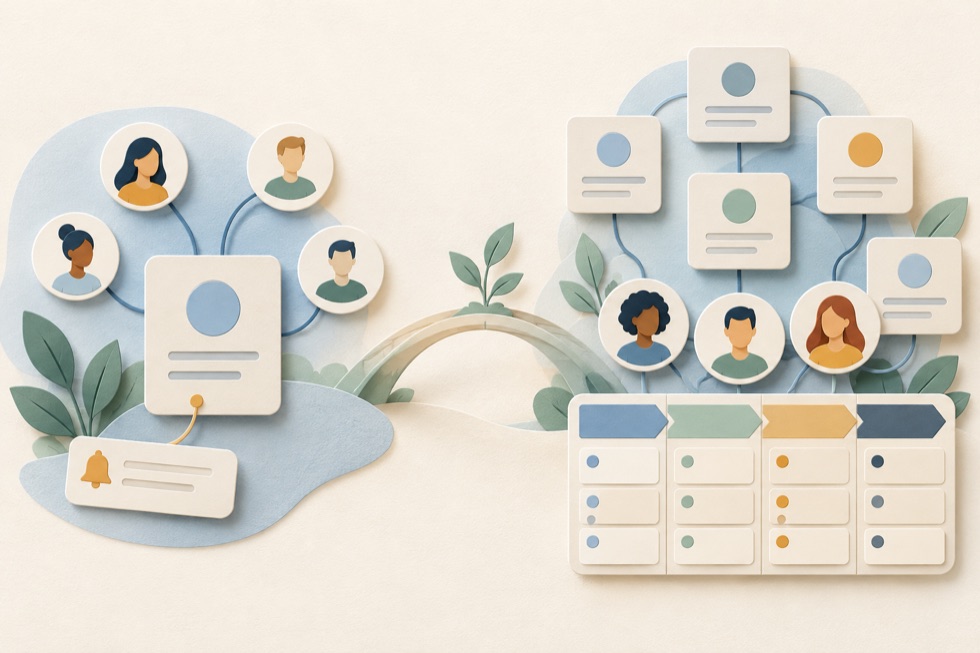
But the distinction isn't as simple as personal contacts versus business customers.
A freelance consultant might use a personal CRM to track clients, proposals, and follow-ups. A salesperson might use a business CRM to manage just their own deals. And some CRM applications are flexible enough to handle both personal and professional relationships.
The real difference is usually about who uses the system, what relationships they manage, and how much structure their workflow requires.
In this guide, we'll explain how personal and business CRM systems compare, where their features overlap, and how to decide which approach makes sense for you.
What Is a Personal CRM?
A personal CRM (Personal Customer Relationship Management system) is a tool designed to help an individual organize contacts, remember important information, track interactions, and maintain relationships over time.
Despite the word "customer" in CRM, personal CRM tools aren't limited to paying customers.
People use them to manage relationships with:
- Friends and family
- Professional contacts
- Former colleagues
- Clients and prospective clients
- Mentors and advisors
- Business partners
- People they meet at events
The purpose is to make relationship management more intentional and organized.
For example, you might meet someone at a conference, exchange contact details, and discuss a possible collaboration.
Six months later, you want to reconnect.
A personal CRM can help you remember who the person is, where you met, what you discussed, and whether you planned to follow up.
Common Personal CRM Features
Depending on the product, a personal CRM may include:
- Contact profiles
- Notes and interaction history
- Tags and contact groups
- Follow-up reminders
- Important dates
- Relationship categories
- Custom fields
- Tasks and activities
- Deals or opportunities
- A simple sales pipeline
Not every personal CRM includes all these features.
Some focus almost entirely on personal networking. Others are designed for independent professionals who manage both relationships and business opportunities.
A personal CRM doesn't have to be limited to an address book with reminders. It can support meaningful business workflows without requiring the complexity of a large sales platform.
What Is a Business CRM?
A business CRM is software used to organize and manage relationships with customers, prospects, and other business contacts.
It commonly provides structured processes for sales, customer communication, and related business activities.
A typical business CRM may help a company:
- Store customer and prospect information
- Track leads and sales opportunities
- Manage sales pipelines
- Assign responsibilities
- Schedule tasks and follow-ups
- Record customer interactions
- Generate sales reports
- Automate repetitive workflows
- Coordinate work across employees
Business CRM software ranges from simple products suitable for one person to sophisticated platforms designed for large organizations.
For example, a small consulting firm might use a CRM to track 30 active opportunities.
A larger company might use a CRM to coordinate hundreds of salespeople, multiple pipelines, and complex reporting requirements.
Both are business CRM use cases, even though their requirements are very different.
Personal CRM vs Business CRM: Key Differences
The following table describes common tendencies rather than strict rules.
| Feature | Personal CRM | Business CRM |
|---|---|---|
| Primary focus | Individual relationships and workflows | Customer relationships and business processes |
| Typical users | Individuals, freelancers, solo professionals | Individuals, teams, and organizations |
| Contact management | Core feature | Core feature |
| Notes and interaction history | Common | Common |
| Follow-up reminders | Common | Common |
| Deals and opportunities | Available in some products | Common |
| Sales pipeline | Available in some products | Common |
| Team collaboration | Often limited or unnecessary | Common, especially in team-oriented products |
| User roles and permissions | Usually simple | May be advanced |
| Sales forecasting | Less common | Available in many products |
| Workflow automation | Varies | Often available, sometimes on higher plans |
| Reporting | Usually simple | Often more extensive |
| Setup complexity | Often lower | Ranges from simple to complex |
| Pricing | Free, one-time, or subscription | Free or paid, often subscription-based |
The most important distinction isn't whether a tool has a sales pipeline or whether its users earn money from their contacts.
It's whether the tool is designed around one person's relationship management needs or a broader business workflow.
Example 1: Using a Personal CRM for Professional Relationships
Imagine Sarah, an independent graphic designer.
She works alone and has around 80 professional contacts.
These include existing clients, former clients, other designers, photographers, and people who might refer future work.
Sarah wants to remember:
- When she last spoke with someone
- What projects they worked on together
- Which contacts might need a follow-up
- Who expressed interest in future work
- Which proposals are still open
She doesn't need employee management, complex permissions, or sophisticated sales forecasting.
But she does need more than a basic phone contact list.
A personal CRM with notes, reminders, tasks, and a simple deal tracker could be a good fit.
Sarah can manage her professional relationships without adopting a large sales system.
Example 2: Using a Business CRM for a Sales Team
Now consider a company with 12 sales representatives.
Each representative manages dozens of prospects.
The sales manager needs to know:
- Which representative owns each opportunity
- How many deals are in each pipeline stage
- Which opportunities are expected to close this month
- How the team is performing
- Which leads need attention
- Whether sales activities are being completed
The company may also need different access permissions, automated lead assignment, shared reporting, and integrations with other systems.
A business CRM designed for team workflows is likely the more appropriate choice.
The difference isn't that Sarah's relationships are less important.
It's that the company has coordination and reporting requirements Sarah doesn't have.
Can You Use a Personal CRM for Business?
Freelancers, consultants, independent sales professionals, and solopreneurs often need to manage professional relationships without the administrative requirements of a larger organization.
A personal CRM can help them:
Track Prospective Clients
Keep information about people who have expressed interest in your services.
Manage Follow-Ups
Remember when to contact someone after a meeting, proposal, or introduction.
Organize Client Notes
Store relevant information about projects, preferences, and previous conversations.
Track Simple Deals
Record potential projects, estimated values, and their current status.
Maintain Long-Term Relationships
Stay connected with former clients, referral partners, and other professional contacts.
For many independent professionals, relationship management and sales management are closely connected.
A conversation with a former colleague might become a referral.
A networking contact might become a customer.
An existing client might return with another project.
A personal CRM can support these situations without requiring a complex sales operation.
However, the suitability of any particular product depends on its actual features.
If you need invoices, advanced reporting, shared access, or specialized integrations, you may need additional software or a more capable CRM.
Can You Use a Business CRM for Personal Relationships?
Yes, although it may not always be convenient.
Many business CRM systems allow you to create contacts, add notes, schedule reminders, and track interactions.
Technically, these features can be used to maintain personal relationships.
But a business CRM may organize everything around concepts such as leads, deals, accounts, and revenue.
That structure makes sense for sales.
It may feel unnecessary if your main goal is to remember birthdays, stay in touch with friends, or maintain a professional network.
Some business CRM products also include features and pricing models intended for teams.
You might end up using only a small fraction of what you're paying for.
The question isn't whether a business CRM *can* manage personal relationships.
It's whether the experience fits how you want to manage them.
What About Freelancers and Solopreneurs?
This is where the distinction between personal and business CRM becomes especially interesting.
A freelancer is running a business, but may not need a traditional business CRM.
Consider a freelance web developer who manages:
- 20 existing clients
- 15 potential clients
- Several ongoing proposals
- Occasional referrals
- Follow-up reminders
Their workflow is clearly commercial.
They may need contacts, deals, notes, and a sales pipeline.
But they don't necessarily need:
- Team management
- Sales territories
- Complex permission systems
- Multi-department reporting
- Advanced forecasting
- Enterprise automation
A lightweight CRM designed for individual use may provide everything necessary.
Conversely, an independent professional with a complicated sales process may benefit from a full business CRM, even without employees.
The best choice depends on the work—not the job title.
Personal CRM vs Contact Manager: Are They the Same?
Not exactly.
A contact manager primarily stores information about people.
For example:
- Name
- Phone number
- Address
- Company
- Job title
A personal CRM typically adds relationship context and actions.
It may help you record:
- How you met someone
- What you last discussed
- When you should reconnect
- What matters to that person
- Whether there's an active opportunity
- What happened during previous interactions
Think of the distinction this way:
The boundary isn't absolute. Some contact management applications offer reminders, notes, and other CRM-like capabilities.
What matters is whether the application supports the workflow you need.
Personal CRM vs Business CRM: Which Features Actually Matter?
Before choosing a CRM, identify the activities you want it to support.
Contact Management
Both types of CRM should make it easy to store, search, and update contacts.
For most users, this is essential.
Notes and Relationship History
If you frequently reconnect with people after long periods, notes and previous interaction records can be particularly valuable.
Follow-Up Reminders
Reminders are useful whether you're maintaining friendships, networking, or managing sales prospects.
Deals and Sales Pipelines
These matter when your relationships involve potential transactions.
A freelancer who sends proposals may need them.
Someone maintaining a personal network may not.
Collaboration
If several employees need to manage the same customers, shared access and clear ownership become important.
A single-user CRM may not be suitable.
Reporting
Sales reports can help businesses evaluate performance and forecast revenue.
For personal relationship management, detailed reporting is often unnecessary.
Integrations
Consider whether the CRM needs to connect with your email, calendar, forms, or other applications.
Avoid paying for integrations you don't use.
Data Ownership and Export
Regardless of CRM type, check how your information is stored and whether you can export it.
For personal and professional relationships alike, access to your data matters.
Is a Personal CRM More Private Than a Business CRM?
Not necessarily.
The words *personal* and *business* describe the intended use of a CRM, not its security architecture.
A personal CRM isn't automatically more private because it is designed for individuals.
Similarly, a business CRM isn't automatically less private because it serves companies.
Privacy and security depend on factors such as:
- Where data is stored
- Who can access it
- How authentication works
- Whether data is encrypted
- Which third-party services receive information
- Whether you can export and delete records
- How backups and recovery are handled
- The provider's privacy and security practices
Some CRM systems store data on the vendor's servers.
Others may offer self-hosting or alternative storage arrangements.
Each model has different responsibilities and trade-offs.
For example, storing information in a user's own cloud account may offer greater direct control over the storage location, but it doesn't automatically guarantee security, privacy, or reliable backups.
You still need to consider application permissions, account security, access controls, and recovery options.
How Much Does a Personal CRM Cost Compared With a Business CRM?
Pricing varies considerably.
Personal CRM Pricing
Personal CRM products may use:
- Free plans
- Paid subscriptions
- One-time purchases
- Feature-based pricing
Some tools focus on a single user, while others offer additional collaboration features.
Business CRM Pricing
Business CRM platforms may offer:
- Free plans with limitations
- Per-user monthly subscriptions
- Tiered feature packages
- Additional charges for advanced capabilities
- Enterprise contracts
Business CRM software can become expensive when a team grows or needs higher-tier functionality.
However, a lightweight business CRM may cost less than a premium personal CRM.
Compare the total cost of the features you actually need.
When Should You Choose a Personal CRM?
A personal CRM is worth considering if:
- You manage relationships primarily on your own
- You want better contact organization
- You need notes and follow-up reminders
- You maintain a professional network
- You work independently with clients
- You have a relatively simple sales process
- You don't need complex team administration
It's particularly useful when the problem you're trying to solve is remembering people, conversations, commitments, and opportunities.
When Should You Choose a Business CRM?
A business CRM may be a better choice if:
- Multiple employees manage customer relationships
- You need structured lead assignment
- Your organization has several sales pipelines
- You require detailed sales reporting
- You need role-based access controls
- You rely on advanced integrations or automation
- Your sales process has complex approval or management requirements
A business CRM may also make sense for a solo professional with advanced requirements.
Again, the distinction is about workflow, not simply team size.
Can You Start With a Personal CRM and Switch Later?
Yes.
For many independent professionals, starting with a simpler CRM is a practical approach.
You can organize your contacts, establish a consistent follow-up process, and learn which features you actually use.
If your business later needs team collaboration, more sophisticated reporting, or advanced automation, you can evaluate a different CRM.
However, switching systems can require data cleanup and migration.
Before choosing any CRM, check whether you can export:
- Contacts
- Companies
- Notes
- Deals
- Activities
- Custom fields
Also check whether the export preserves relationships between records.
For example, exporting contacts as CSV may be easy, while transferring linked notes, activities, and attachments may be more complicated.
A simpler system is often a good starting point, but data portability should still be part of your decision.
How to Choose Between Personal CRM and Business CRM
You can make the decision by answering five practical questions.
1. Who Will Use the CRM?
If it's primarily for you, start by evaluating personal and lightweight business CRM tools.
If multiple employees need shared access, prioritize collaboration features.
2. What Relationships Are You Managing?
Personal networking, client relationships, sales opportunities, and account management have different requirements.
Choose software that supports your actual activities.
3. Do You Need a Sales Pipeline?
If you regularly manage proposals, negotiations, and potential sales, look for deal tracking and pipeline features.
Don't assume every personal CRM includes them.
4. How Much Administration Can You Tolerate?
A CRM that requires constant configuration and data entry may be a poor fit for someone working alone.
Simplicity can be a significant advantage.
5. What Happens if Your Needs Change?
Check pricing, export options, integrations, and whether the system can support your likely future workflow.
You don't need to buy software for a hypothetical 100-person company.
But you should understand the limitations of your choice.
Frequently Asked Questions
What does personal CRM mean?
Personal CRM refers to software that helps an individual organize contacts, track interactions, maintain relationships, and manage follow-ups. Some personal CRM products also support clients, deals, and sales pipelines.
Is a personal CRM only for friends and family?
No. Personal CRM tools can also be useful for professional networking, freelancers, consultants, and independent business owners.
Can a personal CRM manage sales?
Yes, if the product includes deal or opportunity management. Some personal CRM applications provide sales pipelines, while others focus mainly on contacts and reminders.
Is business CRM only for large companies?
No. Business CRM software is used by organizations of many sizes, including sole proprietors and small businesses.
What's the difference between a personal CRM and an address book?
An address book primarily stores contact details. A personal CRM usually adds relationship notes, interaction history, reminders, and other tools for managing ongoing relationships.
Can freelancers use a personal CRM?
Yes. A personal CRM can be a good fit for freelancers who need to organize clients, prospects, proposals, and follow-ups without managing a larger sales team.
Is a personal CRM safer for private information?
Not automatically. Security depends on the software's architecture, permissions, storage practices, authentication, and other safeguards.
Should I use two separate CRMs for personal and business contacts?
Not necessarily. Some tools can manage both using tags, categories, or separate views.
However, keeping personal and business information separate may be preferable for privacy, organizational, or compliance reasons.
Is Excel enough instead of a personal CRM?
It can be. A spreadsheet works well for simple contact lists and straightforward workflows.
A personal CRM becomes more useful when you need regular reminders, relationship history, and connected information that would otherwise require manual maintenance.
Final Thoughts: Personal CRM or Business CRM?
Personal CRM and business CRM software solve many of the same fundamental problems.
Both help organize information, maintain relationships, and track important activities.
The difference is usually one of focus and complexity.
A personal CRM typically prioritizes the needs of an individual.
A business CRM often provides additional structure for sales processes, teams, reporting, and organizational workflows.
But these categories overlap.
A freelancer can use a personal CRM for business. A solo salesperson can use a business CRM. And some applications can serve both purposes.
Start with those needs, and choose the simplest system that supports them.
Explore More CRM Resources
A note on this guide
The people, companies and numbers in the examples are fictional. CoreCRMHub is exploring a free personal CRM, so we have an interest in this topic; that product is a concept and not available. This guide contains no product ratings and no affiliate links, and it is general guidance rather than a review of specific software.